01
Select the game
Open Start streaming, choose your quality, then click your game's preview. Use Entire display if you want to share everything on screen.
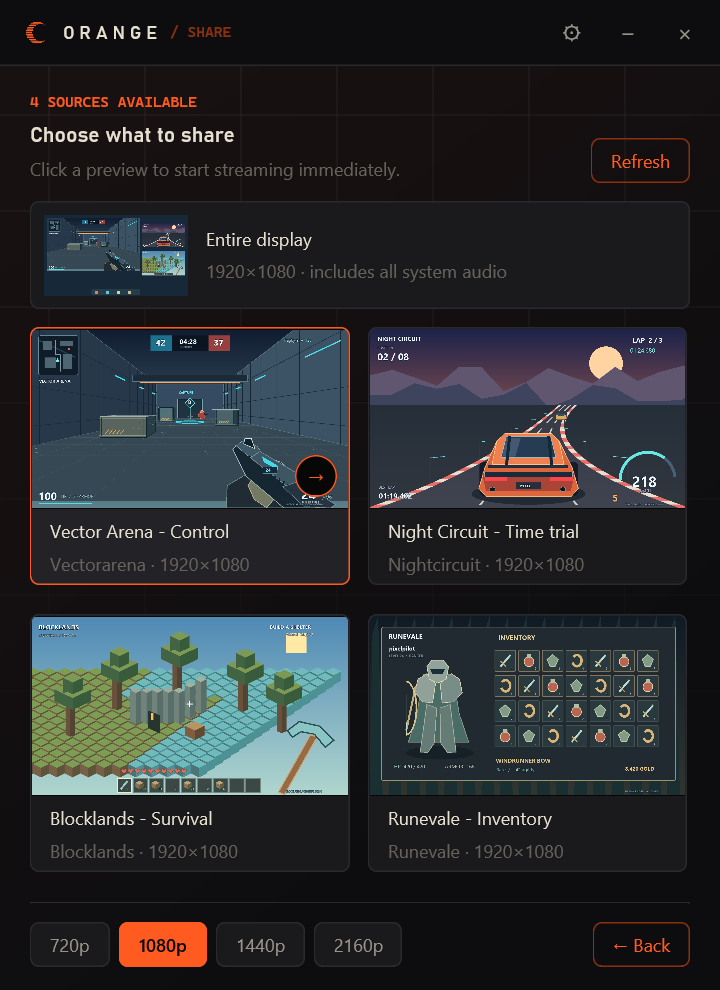
Click a preview to start sharing.
 ORANGE
Share your game window and game audio. Your GPU encodes the video; your squad watches in a native Windows player.
Windows 10 / 11 · 64-bit
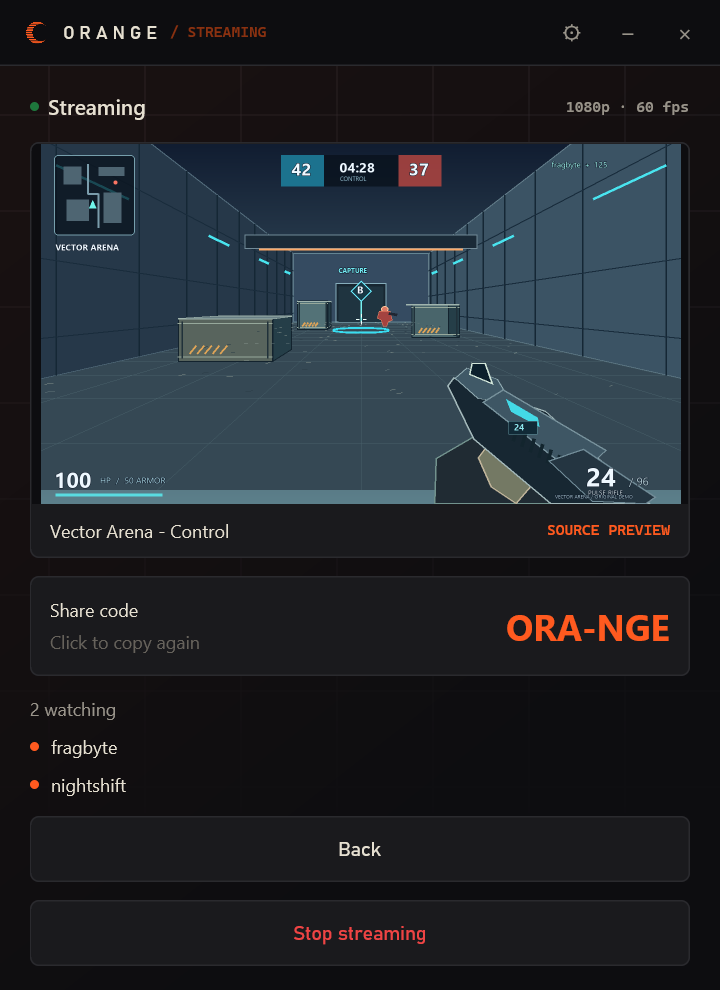
02 / Start streaming
Install Orange on both PCs. You can join a room by code without signing in, or sign in with Discord to add friends.
Open Start streaming, choose your quality, then click your game's preview. Use Entire display if you want to share everything on screen.
Send a friend the room code. They copy it to their clipboard, then click Join with a code in Orange.
03 / Friend setup · 1.0
Both players sign in with Discord. Use a personal friend code to send a request, or a room code to join an active stream.
Ask your friend to copy their personal friend code and send it to you. Copy it, click Add friend, check the profile, then choose Send request.
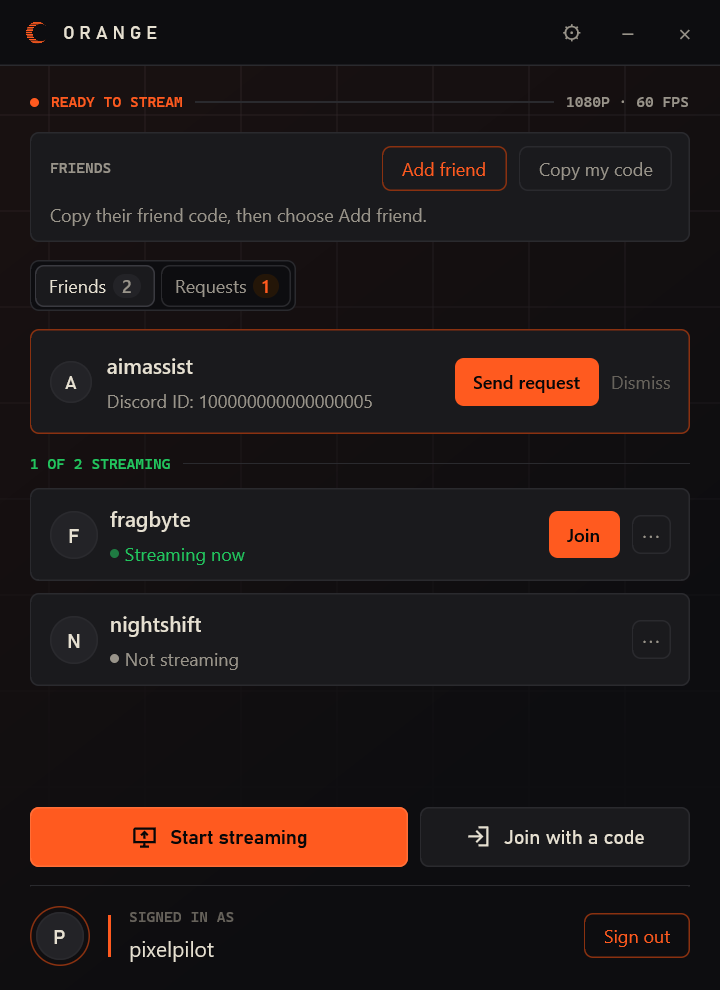
The recipient opens Requests and clicks Accept. One acceptance adds both players. Incoming requests can be declined; sent requests can be cancelled.
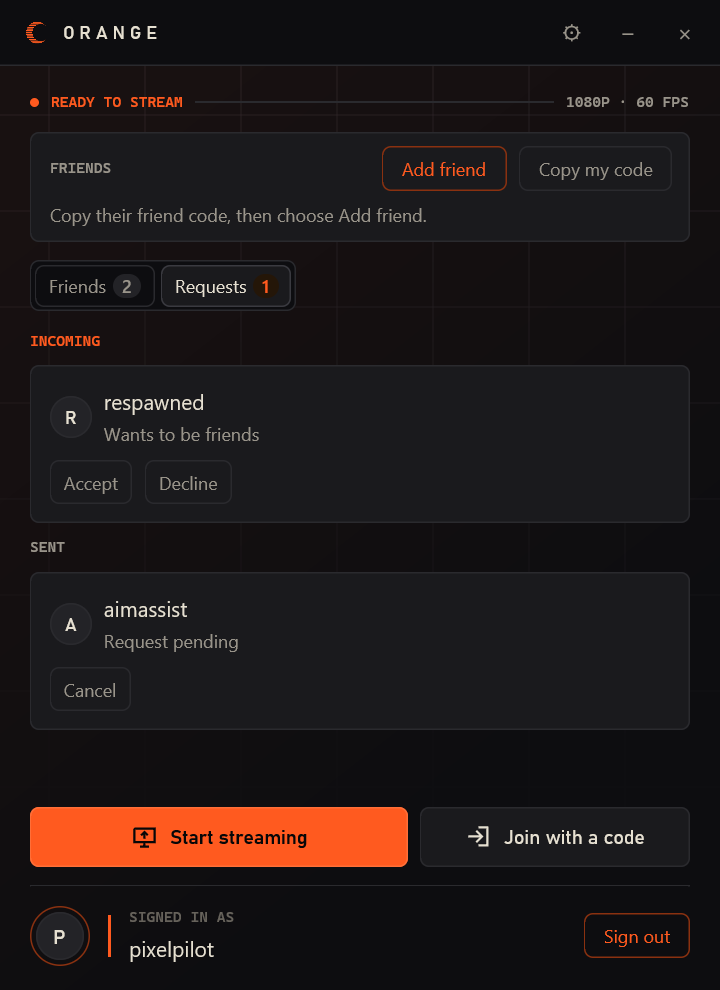
Once accepted, you're in each other's Friends list. When your friend streams, click Join. You don't need to send another room code.
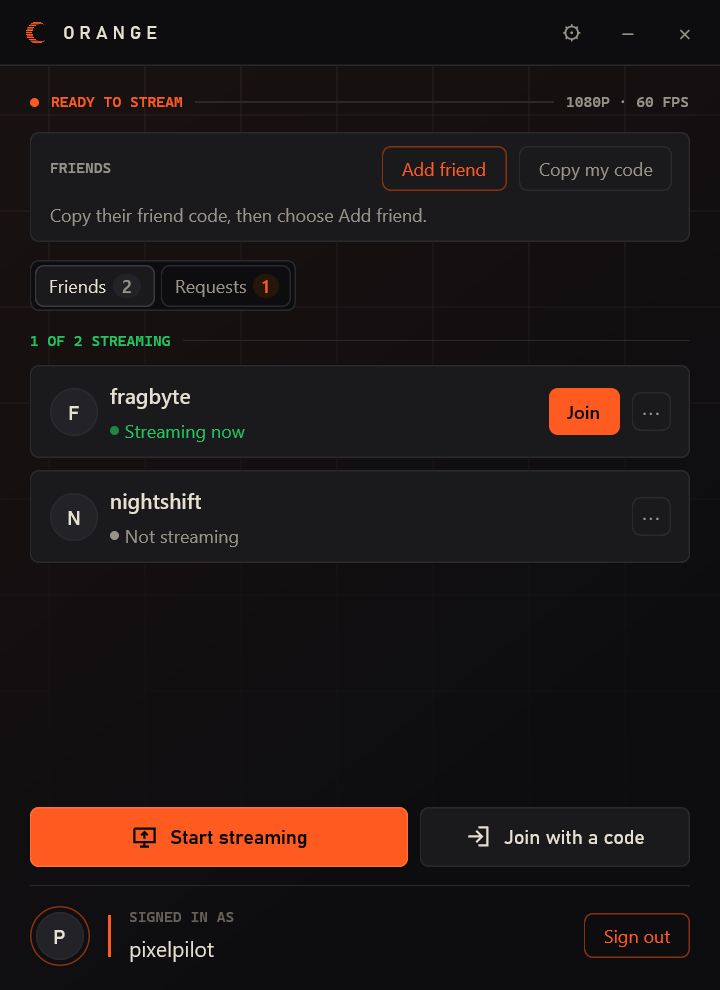
Native Windows captures of the refreshed interface, with fictional player handles and original demo game scenes. Select any image for the full-size UI.
04 / Under the hood
The relay helps the PCs connect. Video and audio travel directly between them.
Game, window, or display
H.265 or H.264
One stream per viewer
Native Windows player
Window audio stays with the window. Window sharing captures that app's audio. Whole-display sharing includes system sound.
Upload matters. Each viewer receives a separate stream. More viewers need more upload bandwidth. Networks requiring a TURN relay aren't supported yet.
05 / Details
A 64-bit Windows 10 or Windows 11 PC. Sharing requires a compatible hardware H.265 or H.264 encoder. Keep your graphics drivers current; hardware and Windows version affect feature support.
You can host and join with a room code without signing in. Both players need Discord sign-in to exchange friend requests and use the synced friends list. Orange is independent of Discord.
No. A personal friend code identifies a player so you can send them a request. A room code joins an active stream. Use Add friend for the first and Join with a code for the second.
Anyone who has your room code can join and can pass it on. The friends list controls who can discover your stream; it doesn't restrict access to people with the code.
The Windows app and its media runtime. It installs for your user and creates a Start menu shortcut. Download buttons on this site link directly to Orange's Azure release storage.
Windows / Latest release
Game streaming. Direct to your friends.
Windows 10 / 11 · 64-bit